
깃허브를 씁시다- 진작알았으면 좋았을 시리즈 1

- 깃허브를 쓰기전
- 서버가 오류나면 yml도 통째로 날아가는 것이다
- cp 명령어로 bak_file_날짜.yml로 해줘야 된다.
- vi 편집기로 수정해야 된다. - 깃허브를 쓰면
- yml 분실 걱정은 안해도 된다.
- 내가 변경한 yml을 전부 기억하고 있어 별도의 백업이 필요없다.
-
🔎
깃허브 사용법 - 내가 사용하고 있는 yml 관리하기
깃허브 회원가입은 생략
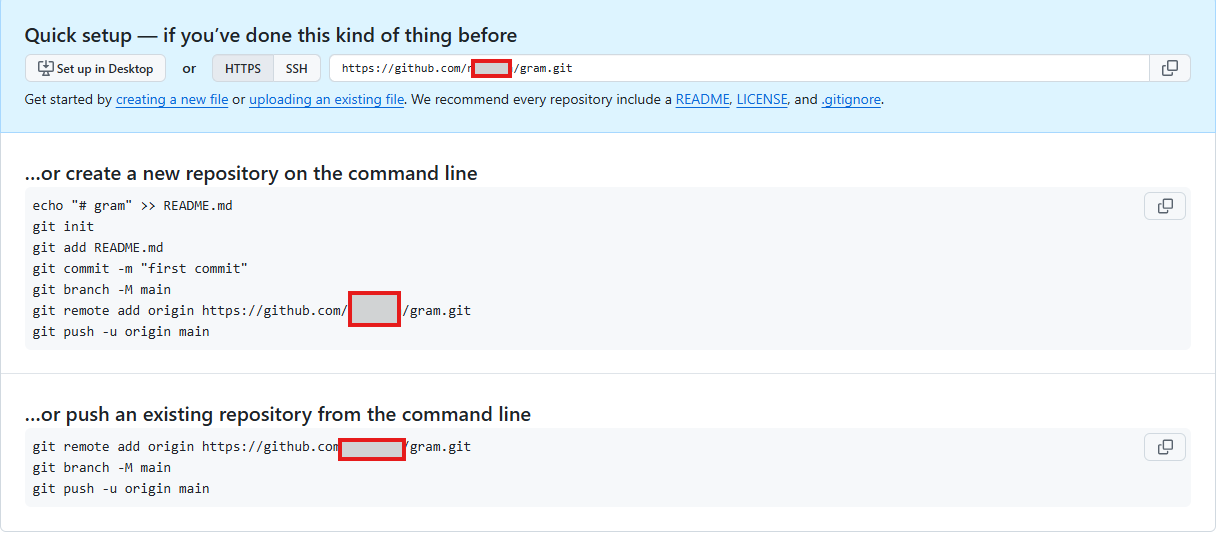
# 1. git 전역 설정
git config --global user.email "깃허브아이디@깃허브아이디메일주소"   # GitHub 이메일로
git config --global user.name "깃허브계정"
git config --global init.defaultBranch main           # 앞으로 init 시 main으로
git config --global credential.helper store           # PAT 저장

# 2. yaml/ 디렉토리에서 작업
cd ~/yaml

# 3. 커밋 (branch는 첫 커밋 이후에야 존재함)
git add -A
git commit -m "초기 docker 구성"

# 4. remote 확인 (이미 추가했으면 skip)
git remote -v
# 없으면: git remote add origin https://github.com/ragonia/uman.git

# 5. push (첫 push라 PAT 입력 요구됨)
git push -u origin main
cd 깃허브작업디렉토리
touch .gitignore
vi .gitignore
# 환경변수
.env
*.env
**/.env

# DB 데이터 (루트 및 하위 모두)
mysql/
**/mysql/
postgres/
**/postgres/
pgdata/
**/pgdata/
redis/
**/redis/

# 볼륨/데이터
data/
**/data/
volumes/
**/volumes/
logs/
**/logs/
log/
**/log/
immich/
**/immich/
wordpicnic/
**/wordpicnic/
blog/
**/blog/


# 인증서
*.pem
*.key
*.crt
acme.json

# 기타
*.log
*.pid
*.sock
uploads/
images/
media/
tmp/
cache/
습관적으로 하면 좋은거 (그래야 충돌 안생김)
# 작업 시작 전 (GitHub 최신화)
cd ~/깃허브작업디렉토리 && git pull     #GitHub → 서버   GitHub 수정사항 내려받기 #main하나면 git pull

# cli에서 작업 후 (서버 → GitHub)
cd ~/깃허브작업디렉토리 && git add -A && git commit -m "update" && git push
명령어 정리
# 다시 git 초기화
git init
git branch -m master main    #브랜치 이름 변경

# gitignore 확인
cat .gitignore
touch .gitignore

# 1. git 전역 설정
    git config --global user.email "깃허브아이디@깃허브아이디메일주소"   # GitHub 이메일로
    git config --global user.name "깃허브계정"
    git config --global init.defaultBranch main           # 앞으로 init 시 main으로
    git config --global credential.helper store           # PAT 저장

# 2. yaml/ 디렉토리에서 작업
cd ~/yaml

# 3. 커밋 (branch는 첫 커밋 이후에야 존재함)
git add -A
git commit -m "초기 docker 구성"

# 4. remote 확인 (이미 추가했으면 skip)
git remote -v
# 없으면: git remote add origin https://github.com/ragonia/uman.git

# 5. push (첫 push라 PAT 입력 요구됨)
git push -u origin main

git status    # 상태확인(필수)
git diff  # 변경내용 보기
git log --oneline    #커밋 로그 보기

# 확인
git remote -v


Member discussion